Web Pages from Hell 2
This month my guest blogger is Adrian Pastor (a.k.a pagvac) the founder of In Knowledge We Trust - Security Research Labs and co-author of Exegesis of Virtual Hosts Hacking. Adrian and I have been brainstorming together on various security related projects. He currently works as a security analyst and researcher involved in high-profile web application testing. In this post Adrian expands on topic of Web Pages from Hell.
After playing with the XSS vulnerability found by pdp and dwk in Sage RSS reader (Firefox extension), I thought "OK fine, we got script execution within the local context since Sage stores the feed on the local system, but how come Firefox never even displays a warning to the user??!!"
UPDATE: dwk found another RSS XSS vuln on the latest version of Sage (1.3.8 at time of writing). Additionally, Rick also found another RSS XSS vuln on the latest version.
This means that if someone sent you an HTML file and you double-clicked on it from your desktop for instance (local context scripting), anyone could steal any local file that your user's account has access to - without FF ever showing a warning!
Of course we could use something like ActiveX objects in IE to list files in directories, read them, modify them, and even create new ones. However, the point of this experiment is that we SYSTEM account, and others are locked by processes that are currently accessing them.
I created a very simple PoC HTML file that steals Mozilla Firefox cookies.txt file when launching it locally and sends the file to the attacker in base64 encoding. Needless to say, cookies.txt contains the cookies for all the domains accessed by the victim. So, unlike XSS attacks, now we're not restricted to the context of the vulnerable site.
Here are the results of the test. Tested successfully with no security warning displayed to the user in the following versions of Firefox (Windows version):
- Mozilla Firefox 1.0
- Mozilla Firefox 1.5
- Mozilla Firefox 2.0
However, we do get a security warning on the following versions of IE, so the user needs to be fooled to ignore the warning in order to get local JavaScript running:
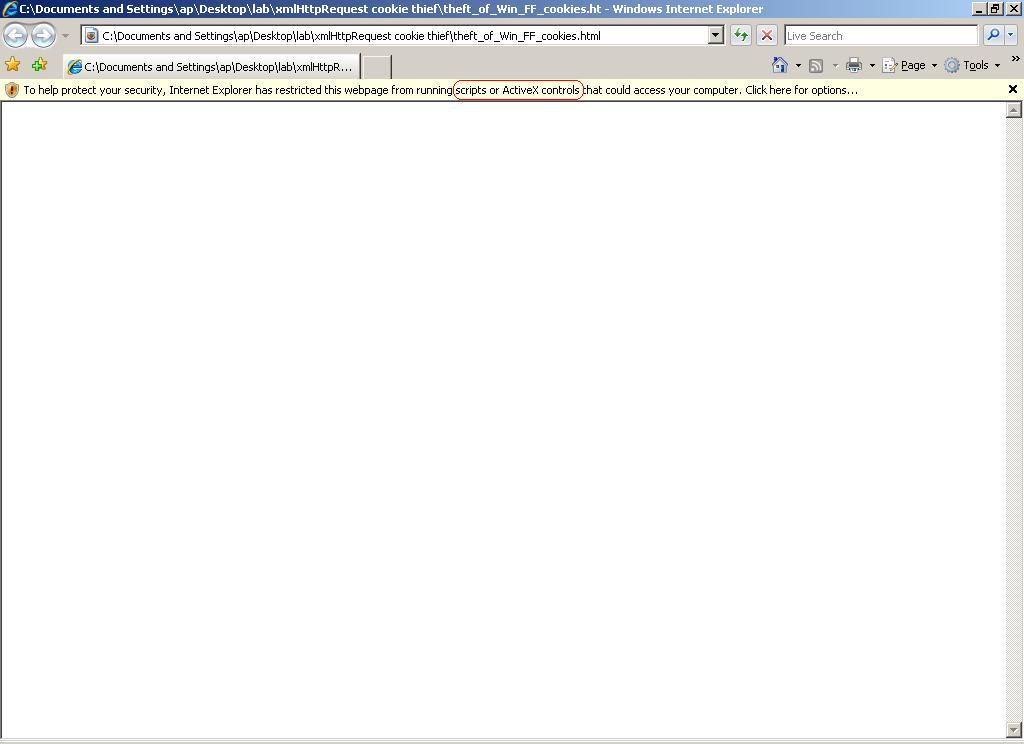
- Internet Explorer 6.0
- Internet Explorer 7.0
Notes
- Script execution of the PoC HTML file can be very slow depending on the size of your Firefox
cookies.txtfile, so please be patient if you have never deleted your cookies since you installed Firefox!! - The assumption for this HTML file to work is that it is launched somewhere within the Windows user's home folder. i.e.:
C:\Documents and Settings\ap\Running it from the "Desktop" or "My Documents" folder (for instance) should work regardless of the language version of Windows!
Archived Comments

related files: IE7_local-context_JS_warning.JPG; theft_of_Win_FF_cookies.htmlthis link don't work, can you help me? thx